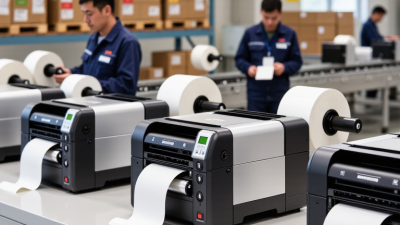
Choosing a Thermal Roll Printer is less about buying the fastest machine. It is about matching the printer to daily work. A busy warehouse may need thousands of crisp labels, while a small shop may only print receipts. Those are different pressures. Very different.
Anders Gustafsson, former CEO of Zebra Technologies, once said, “Our customers are looking for solutions, not products.” That idea matters here. A printer should fit your workflow, not merely look impressive on a specification sheet. Consider the roll width, print resolution, speed, duty cycle, connection options, and replacement costs. A 203 dpi model may handle standard shipping labels well. Fine product tags may require 300 dpi. Measure the label first. Guessing can become expensive.
Heat, dust, and humidity also deserve attention. A printer beside a loading dock faces more stress than one inside a clean office. Test the adhesive, darkness, and barcode readability with your actual rolls. Ask whether the printer supports thermal paper from reliable suppliers. Cheap media can create faded text, jams, and unnecessary cleaning.
I have seen businesses overvalue speed. They later discover that frequent roll changes slow everything down. That mistake is easy to make. Total ownership cost matters more than the purchase price. Check warranty coverage, software compatibility, maintenance access, and operator training before deciding. No model is perfect. The right choice balances reliability, output quality, and practical cost, while leaving room for future growth.
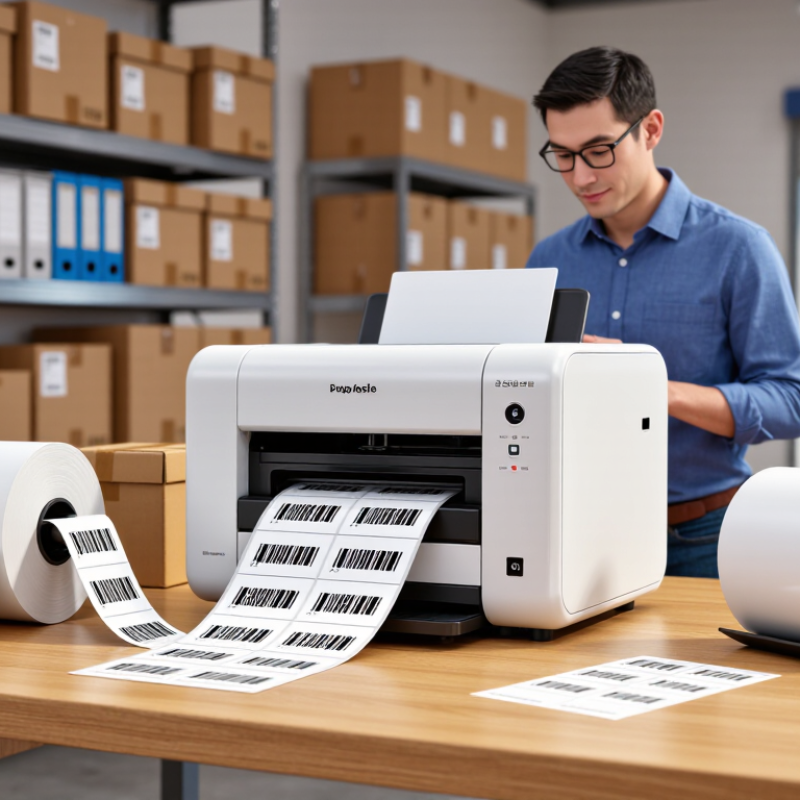
Choosing a thermal roll printer starts with the job, not the machine. A retail counter may need fast receipts, while a warehouse needs durable labels for cartons, shelves, and cold storage. The 2023 Thermal Printing Market report by MarketsandMarkets valued the sector at about $30.4 billion and forecast growth to $46.0 billion by 2028. That expansion reflects varied business requirements, not one universal printer type.
Direct thermal printers create images through heat-sensitive paper. They suit receipts, queue tickets, and short-life shipping labels. The print is clear and economical, but sunlight, heat, and friction can darken it. Thermal transfer printers use a ribbon, producing labels that resist moisture, chemicals, and abrasion. They fit inventory control and outdoor applications better. The added ribbon cost is easy to overlook.
Form matters too. Desktop models fit quiet offices and low-to-medium volumes. Industrial units handle continuous printing, wider media, and harsher environments. Mobile models help drivers or floor staff print beside the customer. A 2024 Smithers forecast on thermal printing highlights continued demand from logistics, retail, and healthcare applications. However, forecasts cannot measure your label waste or workflow delays.
Test the printer with your actual roll stock. Check a tiny barcode after refrigeration, handling, and storage. Measure seconds per label, not only advertised speed. I have seen teams buy powerful equipment for simple receipts. That choice looked impressive, but consumed space and budget. Also review roll diameter, connection options, cutter reliability, and replacement-head costs before approval.

Choosing a thermal roll printer starts with your daily print volume. Estimate receipts, labels, or tickets produced during your busiest hour. A small shop may print 500 items daily, while a warehouse can exceed 10,000. Check the printer’s rated duty cycle, not only its maximum speed. Continuous heavy use can expose weak components quickly. That happened in one busy packing area I observed.
Speed matters when customers or staff wait beside the printer. For counter work, 150 to 250 millimeters per second may feel responsive. High-volume operations often need faster output, especially during shift changes. However, speed alone is not enough. A printer running too fast may create faint edges, uneven text, or poorly aligned barcodes. Test real rolls, real layouts, and real operating temperatures before purchasing. My first estimate was wrong because I tested single labels, not long print batches.
Tips: Compare output after 30 minutes of continuous printing. Inspect small characters, barcode clarity, cutting accuracy, and paper feeding. Choose a resolution that matches your content. Simple receipts need less detail than dense product labels. Also, leave some capacity above your current volume. Business demand changes. A printer selected too tightly may become a daily bottleneck. Keep sample prints for future checks. Assumptions age badly.
Print volume, speed, and output quality requirements
Planning benchmarks for common thermal roll printer workloads. Entry-level use typically suits occasional printing at around 5,000 labels per month, while standard and high-volume operations may require faster print engines and higher monthly capacity. 203 dpi is commonly sufficient for text and standard barcodes; 300 dpi or higher is preferable for small fonts, dense graphics, and detailed product labels.
Choosing a thermal roll printer starts with the material, not the machine’s advertised speed. Paper compatibility affects image clarity, storage life, and daily maintenance. Direct thermal paper suits receipts and labels used soon after printing. It can fade under heat, sunlight, or dashboard storage. Thermal transfer media usually offers stronger durability, but it needs compatible ribbon and settings. Ask for a certified media list, then test your actual rolls. Test real stock. Small differences in coating can cause gray backgrounds or weak barcodes. That detail is easy to miss.
Roll size determines more than how often staff reload the printer. Measure core diameter, outer roll diameter, and paper width before purchasing. Measure twice. A roll that is too large may strain the holder or block the cover. A narrow roll may drift, producing crooked labels. In a busy counter, even a few seconds of reloading becomes noticeable. I prefer printers with adjustable guides, clear roll paths, and tool-free access. These features reduce training time and make jams easier to inspect. Still, adjustable parts can loosen. Check them during routine cleaning.
Media handling should match the workspace. Look for reliable tension control, gap or black-mark sensors, and simple calibration. For labels, verify peel mode, cutter options, and fan-fold media support. A cramped storeroom benefits from a short, visible paper path. A warehouse may need stronger guides and dust-resistant construction. Request sample testing at the fastest planned speed. Check the first and last labels, not only the middle. Do not guess. My own selection mistakes taught me that specifications do not reveal every feeding problem. Record failed tests, including humidity and roll batch, before approving a printer.
Choosing a thermal roll printer requires more than checking print speed and resolution. Connectivity determines whether labels move smoothly from your business software to the packing bench. Choose models supporting Ethernet, Wi-Fi, USB, and secure device management. A flexible connection helps when staff relocate printers or add temporary workstations.
Software support matters just as much. Confirm compatibility with your inventory, point-of-sale, shipping, and warehouse systems. Look for standard printer languages, documented application programming interfaces, and automatic driver updates. The 2024 Data Breach Investigations Report found that vulnerability exploitation increased sharply, so unsupported firmware should not be ignored. NIST Cybersecurity Framework 2.0 also emphasizes asset visibility and controlled access. A printer is still an endpoint.
Tips: Test the complete workflow before purchase. Scan an item, create an order, print the roll, and reprint a damaged label. Measure every delay. Ask whether the printer can recover after a network interruption. Cloud dashboards may look efficient, but offline printing can protect busy sites during brief outages. Keep spare rolls nearby, too. It sounds basic, yet small interruptions often expose weak planning. GS1 barcode specifications also support consistent data structures, but software mapping may still require manual review. Do not assume “compatible” means effortless. Pilot one printer with real users, real labels, and realistic network traffic.
| Evaluation Dimension | Entry-Level Desktop | Business Desktop | Industrial Desktop | Mobile Thermal Printer |
|---|---|---|---|---|
| Typical Business Use | Low-volume receipts, basic labels, office documents | Retail receipts, shipping labels, invoices, service counters | High-volume logistics, manufacturing, warehouse operations | Field service, delivery, route sales, curbside transactions |
| Print Technology | Direct thermal | Direct thermal; some configurations support thermal transfer | Direct thermal or thermal transfer | Direct thermal |
| Typical Resolution | 203 dpi | 203 or 300 dpi | 203, 300, or 600 dpi | 203 dpi |
| Typical Print Speed | Up to approximately 150 mm/s | Approximately 150–250 mm/s | Approximately 200–350 mm/s | Approximately 50–120 mm/s |
| Common Media Width | 58–80 mm receipts or narrow labels | 58–108 mm receipts and labels | 25–168 mm labels and tags | 50–80 mm receipts or labels |
| Ethernet Connectivity | Optional or unavailable | Commonly available | Commonly available | Not typical |
| USB Connectivity | Standard | Standard | Standard | Standard for charging or data transfer |
| Wireless Connectivity | Usually optional | Wi-Fi or Bluetooth depending on configuration | Wi-Fi commonly available; Bluetooth may be optional | Bluetooth commonly available; Wi-Fi available on selected configurations |
| Serial or Legacy Interface | Rare | Available on selected configurations | Often available for industrial equipment integration | Rare |
| Operating System Support | Common desktop operating systems through standard drivers | Desktop operating systems, network print services, and selected server environments | Desktop and server environments; compatibility should be verified with warehouse systems | Mobile operating systems through Bluetooth or manufacturer-neutral printing protocols |
| Driver and Software Support | Basic driver package and print settings utility | Full driver package, configuration utility, and diagnostic tools | Enterprise drivers, remote configuration, diagnostics, and fleet-management options | Mobile print utility, Bluetooth pairing tools, and battery diagnostics |
| SDK or API Availability | Usually limited to basic driver or command support | Commonly supports command languages, print queues, or application integration | Typically supports command languages, APIs, middleware, and automation workflows | Commonly supports mobile SDKs or Bluetooth printing interfaces |
| Cloud and Web-Based Printing | Usually requires a connected host computer | Possible through network print services or third-party software | Well suited to centralized print servers, cloud platforms, and remote monitoring | Possible through a mobile device or cloud-connected application |
| Barcode and QR Code Support | Basic 1D barcodes and QR codes through software | Broad 1D and 2D barcode support through drivers or printer commands | Broad barcode support with high-volume label automation | Basic 1D and 2D barcode support through mobile applications |
| Label and Receipt Templates | Best for simple fixed templates | Supports variable data, logos, barcodes, and multiple layouts | Supports complex variable-data templates and database-driven printing | Supports simplified mobile templates and on-demand documents |
| Workflow Integration Fit | Single workstation or small office workflow | Point-of-sale, shipping, service, and departmental network workflows | ERP, WMS, MES, inventory, fulfillment, and automated production workflows | Mobile order entry, delivery confirmation, field service, and route operations |
| Remote Management | Limited | Basic network configuration and status monitoring | Centralized configuration, alerts, usage monitoring, and firmware management | Battery, connection, and device status through mobile management tools |
| Expected Duty Cycle | Light to moderate daily use | Moderate to heavy daily use | Heavy or continuous operational use | Intermittent or route-based printing |
| Power Requirement | AC power adapter | AC power adapter | AC power connection; higher power capacity may be required | Rechargeable battery |
| Best Selection Criterion | Low purchase cost and simple USB setup | Balanced speed, connectivity, software support, and network sharing | Reliability, integration capability, duty cycle, and centralized management | Portability, battery life, wireless stability, and ease of field use |
Selection guidance: choose a printer class that matches the required media size, daily print volume, connection method, operating environment, application interface, and level of workflow automation. Confirm driver, SDK, command-language, network, and mobile compatibility before deployment.
How to Choose a Thermal Roll Printer for Your Business
A thermal roll printer can look inexpensive on a quotation. The real cost appears later. Calculate paper rolls, ribbons, printheads, rollers, electricity, labor, and downtime. Compare these expenses over three years, not just the purchase price. Record your monthly label volume and peak workload. A printer handling 500 labels daily may struggle during a seasonal rush. That difference affects productivity and replacement costs. Select a print width and speed that match your actual workflow. Faster is not always better.
Maintenance needs should influence the purchase decision. Dust can reduce print quality and shorten printhead life. Operators should clean contact areas regularly and replace worn rollers before jams become frequent. Check whether spare parts are available locally. Review the warranty, service response time, user-replaceable components, and maintenance instructions. In field assessments, simple access to the printhead often saves more money than a slightly lower purchase price. I would not pretend every cost can be predicted. Usage changes, and early estimates are often too optimistic.
Tips: Ask for a total-cost worksheet. Test your own roll stock. Inspect a sample print after repeated use. Confirm support hours and repair procedures. Choose a model with clear error messages. Keep a small maintenance budget. A cheap machine can become expensive when production stops.