Top Heat Transfer Printer Paper for T Shirt Printing
Choosing the right Heat Transfer Printer Paper can determine whether a T-shirt design looks professional or disappoints after washing. Paper quality affects color strength, edge sharpness, fabric feel, and transfer durability. A bright graphic may look excellent on the first day, then crack after several laundry cycles. That difference matters.
This guide examines leading transfer papers for home studios, small apparel businesses, and regular craft projects. It considers printer compatibility, fabric type, paper finish, cutting requirements, pressing temperature, and washing performance. Practical testing remains important. Manufacturer instructions provide a reliable starting point, but cotton, polyester, and blended fabrics can behave differently under heat. A paper that works beautifully on a white cotton shirt may produce dull colors on dark polyester.
Small details matter. Check whether the product suits inkjet or laser printers. Confirm the recommended temperature and pressing time. Use a firm, even surface rather than a soft ironing board. Let the transfer cool when required, then peel it carefully. Do not rush this step.
My early comparisons were not perfect. Some results changed because pressure, fabric texture, and cooling time were inconsistent. That limitation is worth admitting. A useful recommendation should explain both strengths and weaknesses, not promise flawless results. The options discussed here are judged through practical handling, technical specifications, print clarity, and expected durability. With careful preparation and a small test print, readers can choose paper more confidently and avoid wasting shirts, ink, and time.
Heat Transfer Paper Types: Inkjet, Laser, Sublimation, and HTV Compatibility
Top Heat Transfer Printer Paper for T Shirt Printing
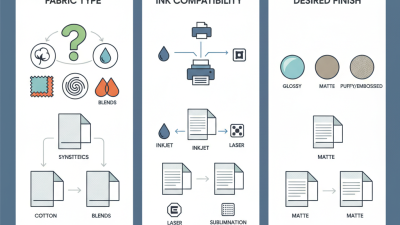
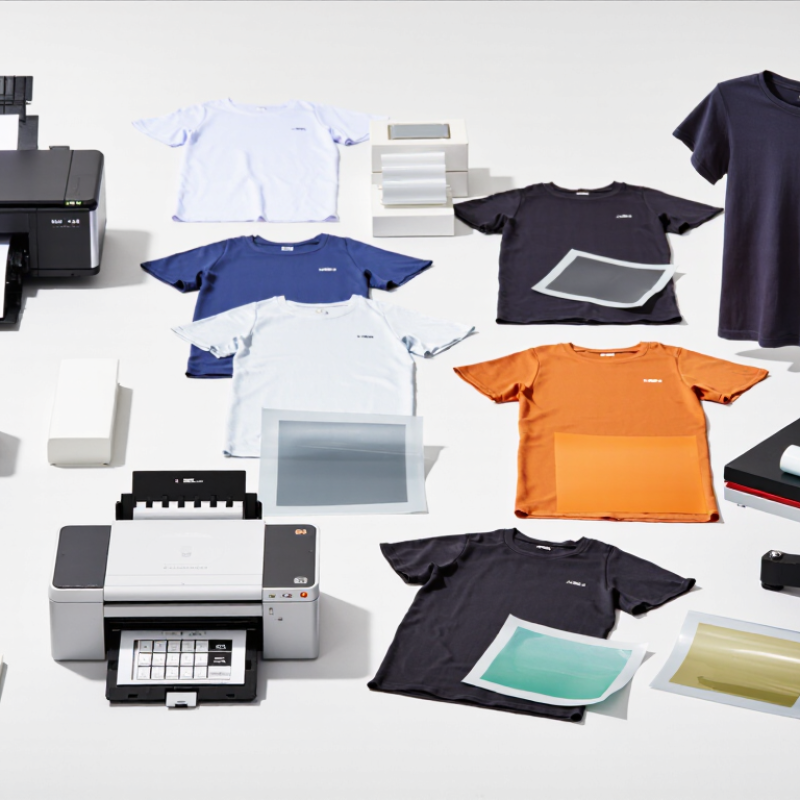
Choosing heat transfer paper starts with matching the sheet to your printer and fabric. Inkjet transfer paper works with standard inkjet printers and suits cotton shirts, especially light-colored garments. Dark fabrics need dark-fabric paper with an opaque backing. Laser transfer paper requires a laser printer and usually produces sharper text with less moisture. Never place inkjet paper in a laser printer. Heat can damage its coating.
Sublimation paper is different. It transfers dye into polyester fibers, so it performs best on white or pale polyester shirts. It will not create strong results on ordinary cotton. HTV is not paper, but it remains a useful heat-transfer option. You cut the design from vinyl, remove excess material, and press it onto cotton or blended fabrics.
Check the product’s temperature, pressure, and pressing time. Small differences can affect peeling, cracking, or wash durability. My own test pieces sometimes looked perfect before washing, then exposed weak edges. That was a useful warning.
Tips: Print a small test first. Confirm the printer type, fabric content, and shirt color. Use a lint-free surface and pre-press the shirt briefly to remove moisture. Follow the transfer sheet’s instructions, but question them when your fabric behaves differently. A second test may save the entire shirt. Avoid touching the printed surface before pressing, since fingerprints or dust can leave visible marks.
Print Quality Standards: How 120–1440 DPI Affects T-Shirt Detail
Top Heat Transfer Printer Paper for T Shirt Printing
Print quality depends heavily on DPI, but higher numbers do not guarantee sharper shirts. A 120 DPI file may produce a soft, vintage appearance. At 300–600 DPI, small text and clean edges usually transfer more accurately. Settings near 1200–1440 DPI can preserve fine artwork, yet the printer, paper coating, and fabric must support that detail. Otherwise, excess ink may spread and create muddy areas.
I have found that a 300 DPI source file is practical for most shirt designs. Keep important details at least 1–2 millimeters wide. Tiny lines often disappear after pressing, even when the screen preview looks perfect. A 1440 DPI output cannot repair a low-resolution image. It only describes the printer’s dot placement. That difference is easy to miss.
Tips:
Test a small corner first. Use matching paper and fabric instructions. Check dark and light garments separately. Leave enough drying time. I sometimes trust the DPI number too much, and that has caused disappointing results. A slightly lower setting can look cleaner when ink coverage is heavy. Press temperature, pressure, and timing also change the final detail, so record each test beside the printed sample.
Durability Testing: Wash Resistance After 30–50 Standard Laundry Cycles
Top Heat Transfer Printer Paper for T Shirt Printing
Wash resistance is the real test of heat transfer paper. A bright shirt means little if the image cracks after a month. AATCC Technical Manual guidance notes that one accelerated laundering cycle may represent about five domestic washes, depending on temperature, detergent, and test settings. Therefore, 30–50 standard laundry cycles provide a useful durability window for comparing transfer papers.
For a controlled test, print identical designs on the same cotton fabric. Record press temperature, pressure, dwell time, and peeling method. Wash samples inside out at 30–40°C, using a standard detergent without bleach. Inspect them after every ten cycles. Look for edge lifting, fine cracking, color fading, and fabric distortion. ISO 6330:2021 provides standardized domestic washing and drying procedures, which improves test consistency.
A strong transfer should retain readable details after 30 cycles. After 50 cycles, minor fading may appear, especially in dark solid areas. That is not automatically failure. A 2024 textile durability review from a European testing institute reported that abrasion, detergent chemistry, and drying heat often influence print loss more than washing alone. My practical concern is incomplete curing. It can make good paper look unreliable. I would also photograph each sample under the same light. Human judgment alone is too inconsistent. Some results still need repeating.
This reference dataset compares print retention after repeated standard laundry cycles. Retention represents the percentage of the original print appearance remaining after washing, with higher values indicating better durability.
Cost and Safety Metrics: GSM, Yield, VOCs, and REACH Compliance
Top Heat Transfer Printer Paper for T Shirt Printing
Cost and Safety Metrics: GSM, Yield, VOCs, and REACH Compliance
Choosing transfer paper involves more than comparing pack prices. GSM indicates paper weight and thickness, which affect feeding, curling, and release during pressing. A heavier sheet may feel stable, but it can reduce roll yield and increase shipping costs. Yield means usable prints per sheet or roll, not the number printed on the package. Measure waste around edges, misfeeds, and test failures. Small losses become expensive quickly.
Tips: Record sheets used, finished transfers, and rejected pieces. Test a small batch first. Check the supplier’s technical data sheet and safety data sheet. Ask how VOC levels were measured, including test conditions and reporting limits. Good ventilation remains important, even when emissions appear low. Do not assume “low odor” means low VOCs.
For European sales, request current REACH compliance information from the supplier. This should address relevant restricted substances and SVHC communication duties, where applicable. Keep those records with your production files. Also test color accuracy, wash durability, peeling, and fabric compatibility on your own equipment. In practical trials, a paper that worked well on cotton performed less reliably on stretchy polyester. That result was inconvenient, but useful. Specifications can guide a choice; controlled testing should confirm it.
Top Heat Transfer Printer Paper for T-Shirt Printing — Cost and Safety Metrics: GSM, Yield, VOCs, and REACH Compliance
| Paper Type |
Typical GSM |
Theoretical Yield
(m²/kg) |
Approx. A4 Sheets/kg |
Relative Paper-Mass Cost Index* |
VOC Metric and Screening Guidance |
REACH and Safety Review |
| Light-Fabric Economy Transfer Paper |
85–95 g/m² |
10.5–11.8 |
1,680–1,900 |
85–95 |
Dry paper normally has no single universal VOC limit. Request a supplier VOC report for the coating and adhesive.
Preferred screening target: ≤0.5 g/m² total VOC where a validated test method is provided.
|
Suitable only when the coating, adhesive, and release layer are covered by a current safety data sheet.
Confirm no intentionally added restricted substances under applicable REACH Annex XVII entries.
|
| Light-Fabric Balanced Transfer Paper |
100–110 g/m² |
9.1–10.0 |
1,460–1,600 |
100–110 |
A practical mid-weight option with moderate coating mass. Require VOC test conditions, detection limit,
and results for the finished paper rather than the base paper alone.
|
Ask for a REACH supplier declaration covering the finished article and coating chemistry.
Article 33 communication is relevant when an SVHC is present above 0.1% by weight.
|
| Light-Fabric Premium Transfer Paper |
115–125 g/m² |
8.0–8.7 |
1,280–1,390 |
115–125 |
Higher coating weight can improve image holdout and release performance but may increase odor during heat pressing.
Use a finished-product VOC result and press-room ventilation assessment.
|
Compliance depends on the complete construction, including paper, coating, adhesive, and release surface.
Request current REACH SVHC and Annex XVII declarations dated within the purchasing cycle.
|
| Dark-Fabric Opaque Transfer Paper |
140–160 g/m² |
6.3–7.1 |
980–1,140 |
140–160 |
Opaque transfer systems may contain heavier polymer or pigment layers. Test total VOC and odor after the
recommended heat-press cycle, not only before pressing.
|
Verify pigment, polymer, and adhesive restrictions separately. A REACH declaration should identify whether
any SVHC exceeds the 0.1% w/w communication threshold.
|
| High-Opacity Specialty Transfer Paper |
170–190 g/m² |
5.3–5.9 |
820–940 |
170–190 |
The highest material load generally produces the lowest area yield. Require measured VOC data, odor notes,
and worker-exposure controls for cutting, printing, and heat pressing.
|
Use only with documented chemical compliance for the finished transfer. REACH compliance is not a permanent
certification; obtain updated supplier documentation when formulations or regulatory lists change.
|
Yield calculation: Theoretical yield in m²/kg = 1,000 ÷ GSM. Approximate A4 sheets per kg =
1,000 ÷ (GSM × 0.06237), using an A4 sheet area of 0.06237 m².
Cost and safety note: The relative paper-mass cost index uses 100 GSM as the reference value of 100.
It compares material consumption only and does not represent a market selling price. VOC performance is formulation-
and process-dependent; request a finished-product test report, safety data sheet, and current REACH declaration before
commercial use. REACH does not provide one universal VOC limit for all transfer papers.