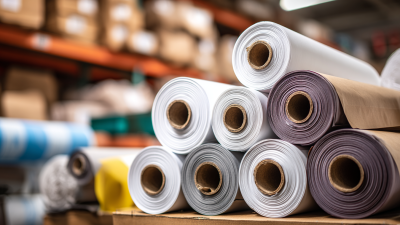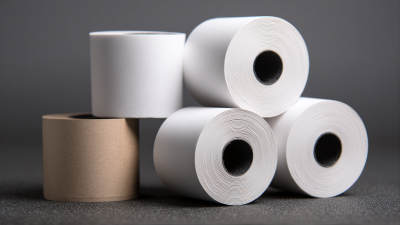
A receipt may be only a few inches long, but its paper affects every sale. If the roll is too wide, it may not fit the printer. If its core is wrong, the roll can wobble or jam. Pos Rolls are thermal or bond paper rolls used in point-of-sale printers to print receipts, order slips, and transaction records. The right choice depends on the printer and the job, not just the price per case.
This guide explains the main types of POS roll paper and the details worth checking before you buy. Measure the roll width, outer diameter, and core size, then confirm the printer’s specifications. Thermal rolls need heat-sensitive paper and do not use an ink ribbon in compatible printers. Bond paper usually requires a ribbon, but it may suit devices designed for impact printing. Simple enough. Yet small differences in coating, paper weight, and storage conditions can affect print clarity and roll life. A faded receipt is frustrating. It can also make a return or expense record harder to verify.
We’ll look at how paper type, size, and print quality fit different business needs, from busy checkout counters to quieter service desks. We’ll also cover practical checks, such as testing a sample roll and keeping spare paper away from heat and moisture. There is no single best roll for every shop. Printer manuals are the dependable starting point, though real-world testing can reveal issues a specification sheet misses. That extra check is easy to overlook. It is worth doing.
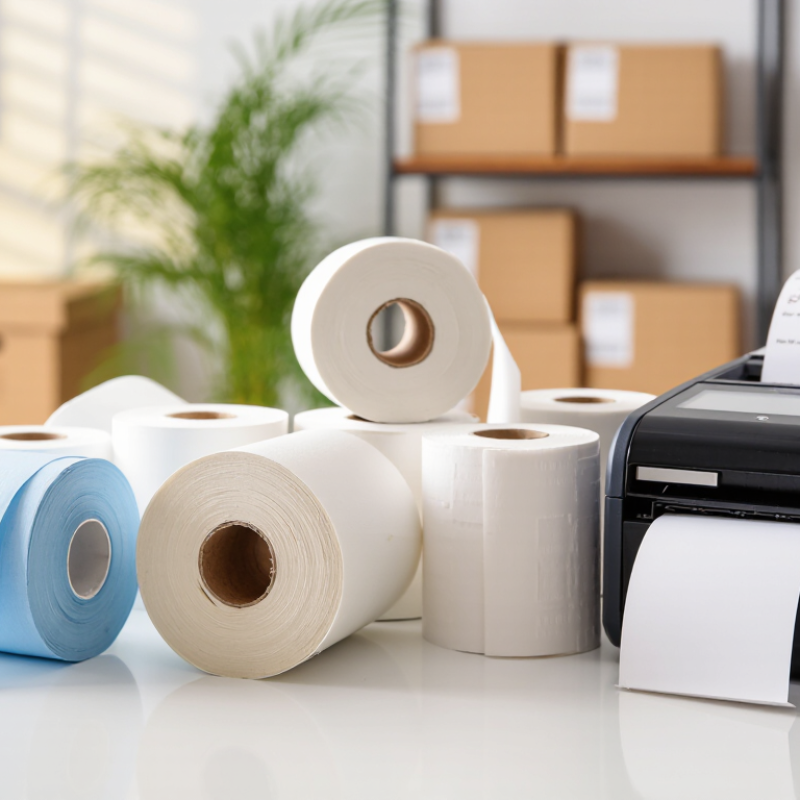
POS roll paper is the narrow paper used by point-of-sale printers to record purchases. In many stores, it shows item names, prices, taxes, payment details, and return information. A thermal printer creates the image with heat, so most rolls need no ink ribbon. The surface contains a heat-sensitive coating. Dark marks appear when the print head warms it. This process keeps checkout equipment compact and fast. It also makes paper quality important. Poor coating can produce pale text or uneven lines.
Businesses use POS rolls at counters, self-service kiosks, ticket machines, pharmacies, restaurants, and delivery desks. Staff may print customer receipts, transaction copies, order numbers, or short preparation labels. Some systems require a specific width, diameter, or core size. Measure the old roll before ordering. Check the paper width, outer diameter, and core. A roll that looks close may still jam. I have seen this mistake waste a busy afternoon.
Choosing paper involves more than price. Select a size that fits the printer and a coating designed for clear thermal printing. For records kept longer, choose paper with stable image retention. Store it away from heat, sunlight, moisture, and plasticizers. If customers handle receipts often, consider a smoother, stronger grade. Very thin paper saves space, but it can tear easily. That trade-off deserves attention. Test a small quantity first, because printer settings and storage conditions can change the result. Paper selection is practical, yet rarely perfect.
What Is POS Roll Paper and How to Choose the Right Type?
How POS Roll Paper Produces Printed Receipts
Most modern POS receipts use thermal roll paper. Inside the printer, a motor pulls the roll across a narrow thermal printhead. Tiny heating elements touch selected points on the coated surface. These heated points create dark text, numbers, and simple graphics without ink or toner. The result appears almost instantly. A sensor controls paper movement and helps maintain accurate spacing between receipt lines.
The paper coating must match the printer’s heat settings. If it reacts too slowly, printing may look pale. If it reacts too strongly, letters can become blurred. Roll width, diameter, and core size also matter. An incorrect size may cause jams or uneven feeding. In practical use, storage is easy to overlook. Heat, sunlight, moisture, and pressure can affect printed receipts. A receipt can look perfect today, then fade later.
Tips: Check the printer manual before ordering rolls. Compare width, outer diameter, and core dimensions. Print a small test batch first. Examine fine text, barcodes, and dark areas. Keep unused rolls in a cool, dry cabinet. Choose paper with clear handling information and suitable chemical compliance documentation. I have found that the cheapest roll is not always the most reliable. Testing saves more trouble than guessing.
What Is POS Roll Paper and How to Choose the Right Type?
POS roll paper supports receipts, order tickets, queue numbers, and transaction records. The right type depends on the printer, storage conditions, and required print life. Thermal paper is common because it prints through heat without ink. It produces sharp text quickly, but sunlight and high temperatures can fade it. Bond paper needs ink or ribbon, yet it often suits printers requiring long-term physical records. Carbonless paper creates duplicate or triplicate copies for kitchens, delivery desks, or customers.
Common sizes include 57 mm and 80 mm widths. A 57 mm roll fits compact terminals, while an 80 mm roll gives wider receipts and clearer item details. Check the printer manual before ordering. Roll length also matters. A longer roll reduces replacements, but its larger diameter may not fit the holder. Core size should match the printer spindle. Small details cause frustrating jams.
Tips: Choose a coating based on real working conditions. A top-coated roll offers better resistance to moisture, oil, and frequent handling. For ordinary indoor receipts, standard thermal paper may be enough. Store rolls away from heat, direct light, plasticizers, and damp shelves. I have seen suitable paper fail because storage was overlooked. Testing one roll first is wise, although it slows purchasing slightly. Check print darkness, cutting performance, and fading after several days.
What Is POS Roll Paper and How to Choose the Right Type?
Choosing POS paper starts with the printer, not the receipt. Most modern checkout printers use direct thermal paper. It reacts to heat and needs no ink ribbon. Impact printers require standard bond paper and a ribbon. Mixing these types creates faint text, paper jams, or blank receipts. Smithers’ The Future of Thermal Printing to 2028 reports that thermal printing remains a high-volume application, with global demand exceeding one million tonnes annually. That scale shows why small specification errors can become expensive.
Measure the roll width, outer diameter, and core diameter before ordering. A roll may fit the slot but still overload the printer. Check the printer manual for its maximum roll diameter and paper thickness. For busy counters, a larger roll reduces replacement interruptions. For compact terminals, a smaller roll is safer. Paper sensitivity also matters. A receipt left beside a warm display can darken over time. The National Retail Federation has reported that shoppers increasingly expect clear, readable receipts, yet paper quality is often overlooked.
Tips: Keep rolls sealed in a cool, dry cabinet. Test one roll during a full shift. Check the print darkness, cutting performance, and edge dust. Avoid heavily coated stock unless the printer supports it. Choose phenol-free thermal paper when possible, but verify supplier certifications. I have found that “universal” rolls are not always universal. Printer settings may need adjustment. That extra check prevents avoidable waste.
| Paper type and common use | Typical roll width | Typical roll diameter | Core inside diameter | Printer match | What to check before buying |
|---|---|---|---|---|---|
| Thermal, narrow format Compact receipts and small countertop terminals |
57–58 mm | About 30–50 mm | Often about 12 mm; varies by roll and printer | Direct thermal printers designed for a narrow roll | Confirm the printer’s specified paper width and maximum roll diameter. A 57 mm roll may not feed correctly in a printer specified for 58 mm. |
| Thermal, standard wide format Retail, hospitality, and general checkout receipts |
79–80 mm | About 60–80 mm | Often about 12 mm; check the printer specification | Direct thermal receipt printers with a wide-paper path | Check both the permitted width and the compartment’s maximum roll diameter; wider rolls do not necessarily fit every wide-format printer. |
| Thermal, longer-capacity roll Busy checkout counters that need fewer roll changes |
Usually 79–80 mm, depending on the printer | Often 80 mm or larger where the printer allows it | Varies; match the holder or spindle | Printers specifically rated for the larger roll diameter | Do not assume a larger diameter will fit. Verify compartment clearance, roll width, core fit, and any printer-specific loading requirements. |
| Bond or plain paper Receipts printed with an ink or impact mechanism |
Commonly 57–58 mm or 79–80 mm | Depends on the printer’s roll compartment | Depends on the spindle or holder design | Impact or other printers designed for plain paper—not a thermal-only printer | Check the printer’s printing method. Plain bond paper will not produce an image in a direct thermal printer without the required thermal coating. |
| Two-ply or multi-ply paper Receipts requiring an original and one or more copies |
Often 57–76 mm, depending on the system | Varies with ply count and printer capacity | Varies by roll and printer | Impact printers designed to print through multi-part paper | Confirm the printer supports the number of plies and the paper construction. Multi-ply paper is not a substitute for thermal paper in a thermal-only printer. |
Choosing POS roll paper starts with the printer, not the price. Check the required width, roll diameter, core size, and winding direction. A mismatch can cause jams, pale images, or wasted rolls. According to Grand View Research’s Thermal Paper Market Report, the global market was valued at about USD 4.2 billion in 2023. That scale reflects how widely thermal paper supports retail, transport, food service, and logistics.
Paper quality depends on the transaction environment. For busy counters, choose a smooth thermal coating that prints clearly at high speed. If receipts face sunlight, heat, moisture, or frequent handling, select a grade tested for stronger image durability. Smithers’ The Future of Thermal Paper to 2028 highlights POS and labeling as important demand areas, where readability and operational reliability remain critical. Cheap rolls may look efficient, but poor coating can increase replacement costs.
Material composition also deserves attention. Ask suppliers for documentation about phenol-free options, recycled content, and responsible sourcing. Storage matters too: keep rolls sealed, dry, and away from heaters or direct light. I have seen teams test only one receipt and approve an entire shipment. That is not enough. Test several rolls in the actual printer, then review print contrast, feeding, fading, and storage performance. Small details decide whether a roll works.
Factors to Consider When Choosing POS Roll Paper
POS roll paper is paper supplied in rolls for receipt and transaction printers. The practical evaluation below uses a 10-point selection score for the main factors buyers should compare: printer compatibility, roll dimensions, print durability, paper safety compliance, image quality, and storage stability. Always confirm the required width, outer diameter, core size, and paper specification in the printer manual before purchasing.