Choosing Printing Paper in 2026 is less about picking the brightest sheet and more about matching the paper to the job. A menu on uncoated stock feels different from a glossy brochure under store lighting. Weight, opacity, surface, brightness, and grain direction all affect appearance and handling. Small details matter. A color proof may look balanced on screen, then print dull on absorbent paper. That mismatch is easy to overlook when choosing by product labels alone.
The scale of the industry makes informed choices important. FAO’s Global Forest Products Facts and Figures 2022 puts worldwide paper and paperboard production at about 408 million tonnes. Two Sides’ 2023 Trend Tracker surveyed 10,000 consumers across 16 countries about attitudes toward paper, print, and packaging. These reports offer useful context, though neither can identify the right stock for every project. A practical choice depends on the intended use: a crisp, readable document may need different opacity and weight than a vivid catalog or durable label. Check the printer’s specifications, request physical samples, and compare how ink behaves on each surface. Feel the sheet. Check both sides. No guide can replace a press test, and I would treat any universal “best paper” claim with caution. The right Printing Paper balances visual quality, performance, budget, and the way the finished piece will be handled.
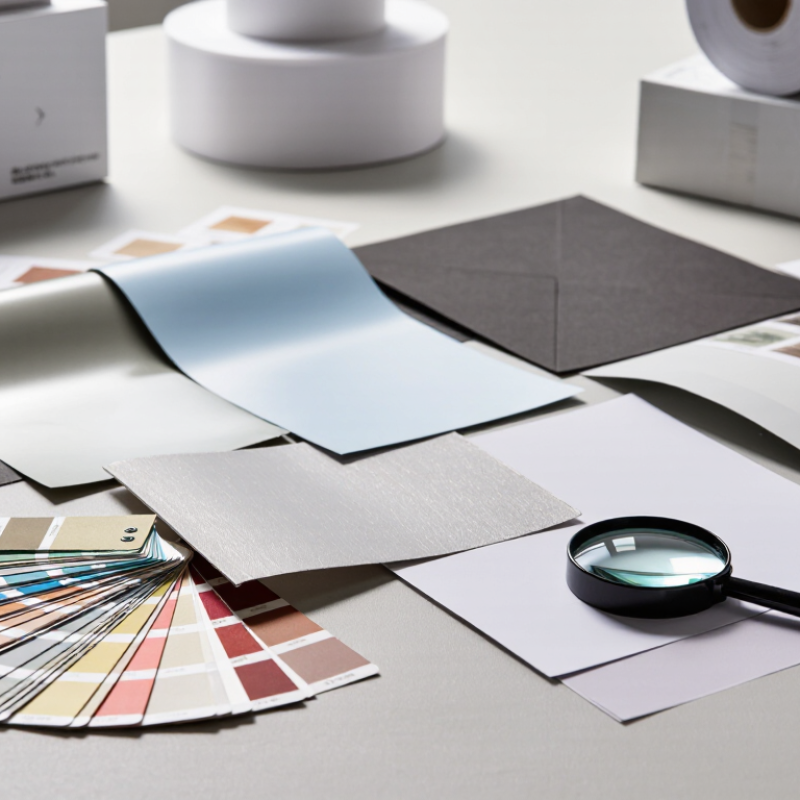
Before comparing paper weights or finishes, define what the printed piece must do. A café menu handled every day needs a different sheet from a folded event invitation. Will readers keep it, write on it, or discard it after a glance? Picture the finished item in its real setting: a brochure under bright shop lights, or a report carried in a crowded bag.
Next, note practical requirements. Measure the final size and check whether the design includes photographs, small text, or large areas of solid color.
Smooth paper can make fine details look crisp, while a matte surface may reduce glare and feel easier to read. If people need to write on the page, test whether ink smears.
For mailers, consider thickness and total weight; a heavier sheet can feel substantial but may increase postage or complicate folding. Ask the printer which paper types work with the chosen process, since not every stock feeds or dries the same way.
Set a realistic budget and decide what matters most: durability, color, texture, or cost. There is no perfect sheet. A finish that looks elegant on screen may feel slippery in hand, and small color shifts can surprise you.
Request a printed sample at the actual size, then inspect it in the light where people will use it.
One test can reveal more than a stack of paper specifications.
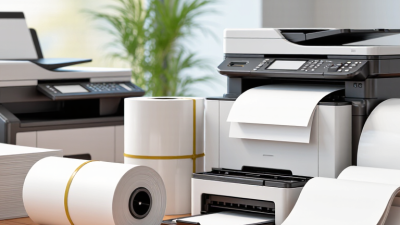
Choosing printing paper in 2026 means matching the sheet to the job, not just picking the heaviest stock. Grammage, measured in grams per square metre, tells you mass—not thickness. ISO 536:2019 specifies how grammage is measured, while ISO 534 covers paper thickness. A 100 g/m² sheet can feel quite different across paper types. I still misjudge this on screen. Handle a sample before ordering a full run.
Opacity matters when text or images show through from the reverse. ISO 2471 describes a test for paper opacity; for double-sided menus or reports, ask a printer for measured opacity data. Weight a sheet in your hand, then check its caliper and opacity on the specification sheet. Small differences show up under bright lights. For a postcard, a heavier sheet may feel sturdy, but excessive thickness can complicate folding or mailing.
Finish changes both appearance and handling. Coated gloss can make photographs look vivid, while matte surfaces reduce glare and suit dense text. Uncoated paper often feels warmer, but ink may look less sharp. Run a proof with your actual images and type. It costs time, yes, but prevents a costly mismatch. Look closely at fine lines, dark areas, and the page edges before approving the stock.
Match paper to the machine, not just the image in your mind.
Inkjet printers need absorbent, inkjet-compatible stock so droplets dry without feathering; glossy coatings made for laser printing may leave wet ink smudges.
Laser printers use heat, so choose paper labeled for laser use, especially for heavier sheets.
Check the printer’s stated weight and size limits before loading a full tray. A single test sheet can save a stack.
Paper weight is measured in grams per square metre (gsm); ISO 536 sets the method for measuring it. Standard office paper is often around 80 gsm, while invitations and covers may need 200 gsm or more—but printer limits vary.
For offset printing, ask the printer about its press, ink, and finishing process before choosing coated or uncoated stock.
Smithers’ digital-printing market report projected growth from $136.7 billion in 2022 to $230.5 billion by 2032, reflecting the expanding role of digital production, not a guarantee that every stock suits every device.
A detail often overlooked: paper grain can affect folding and feeding. Test the actual paper, print setting, and double-sided job together.
Even careful choices can misfire.
How to Choose the Best Printing Paper in 2026?
Evaluate Cost, Availability, and Environmental Credentials
A low price per ream can hide setup waste, delivery fees, or delays when a specific weight is out of stock. Compare delivered cost, minimum order size, and lead time for the paper you actually need. The FAO’s Global Forest Products Facts and Figures 2022 reported about 401 million tonnes of paper and paperboard production worldwide. That scale does not guarantee local availability. Ask suppliers about nearby stock and suitable alternatives before approving a print schedule.
Tip: Request a small test batch. Check color, ink drying, feeding, and trimming on your actual press or printer. Record waste and reprints; the cheapest sheet may not be the cheapest job.
For environmental credentials, look beyond broad claims. Ask for documented recycled content and credible fiber-sourcing certification, then check whether the paper suits the job. The U.S. EPA’s 2018 materials data reported a 68.2% recovery rate for paper and paperboard. That is a national recycling measure, not proof that every paper product is recyclable locally. One detail is easy to miss: coatings and mixed materials can complicate recovery. Compare specifications and local collection guidance, and note where evidence is incomplete.
Choosing printing paper from a screen image is unreliable. Request sample sheets in several finishes and weights before placing a full order. A smooth sheet may show fine text clearly, while a textured surface can soften small details. Touch matters, too.
Print the same file on every sample using your usual printer and settings. Include a photograph, a block of dark color, small text, and thin lines. Check whether colors look dull, ink feathers, or text loses sharp edges. Let each sheet dry fully before comparing it; fresh ink can make a surface appear glossier than it really is. Small differences show up fast.
Test samples in the light where people will read or handle the finished piece. Hold them near a window, then under ordinary indoor lighting. Bend each sheet gently and note whether it feels too flimsy or resists folding. If the paper is for double-sided printing, check how much the image shows through from the back. I sometimes forget this step. It can change the choice.
Write down the paper weight, finish, printer settings, and drying time for each test. Compare notes after a day, not just during the first impression. One sample may feel perfect but produce muddy shadows. That is worth noticing. Samples cannot predict every production run, but they reveal practical issues before a larger commitment.
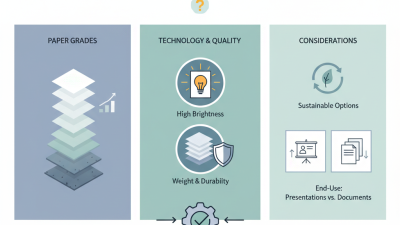
Compare paper by its intended use, printer compatibility, and results from a sample print. Specifications below are typical ranges; check the individual paper and printer documentation before purchasing.
| Paper type | Typical weight | Surface and appearance | Suitable for | Check in a sample test | Relative cost |
|---|---|---|---|---|---|
| Uncoated office paper | 75–90 gsm | Matte, absorbent; often available in several shades of white | Everyday documents, drafts, forms, and internal reports | Text sharpness, show-through on two-sided prints, and feeding reliability | Low |
| Premium uncoated paper | 90–120 gsm | Smooth or lightly textured, non-glossy | Letters, proposals, stationery, and text-heavy presentations | Fine text, line detail, ink drying, and how the sheet feels when handled | Medium |
| Coated presentation paper | 115–170 gsm | Smooth, matte or satin coating; designed to improve image appearance | Color charts, brochures, handouts, and presentation pages | Color consistency, fine gradients, drying or smudging, and printer feed compatibility | Medium to high |
| Cover or card stock | 200–300 gsm | Stiffer sheet; may be smooth, textured, coated, or uncoated | Covers, postcards, invitations, and sturdy inserts | Maximum supported weight, manual-feed handling, curl, and whether duplex printing is supported | Medium to high |
| Inkjet photo paper | 180–300 gsm | Glossy, satin, or matte; coating is made for inkjet printing | Photographs and image-led prints on compatible inkjet printers | Use the correct media setting; assess color, shadow detail, drying time, and surface marks | High |
| Recycled uncoated paper | 80–120 gsm | Usually matte; shade and surface can vary with the paper grade | Reports, correspondence, and general-purpose printing where recycled content is preferred | Print contrast, two-sided show-through, sheet consistency, and feeding performance | Low to medium |
| Test | How to compare | What a good result looks like |
|---|---|---|
| Printer compatibility | Check the printer’s supported paper type, size, and weight; test the intended tray. | Sheets feed and exit without jams, skewing, or edge damage. |
| Print quality | Print the same text, fine lines, solid colors, and image on each sample using appropriate settings. | Text is legible, lines are clean, and colors suit the intended use. |
| Drying and handling | Follow the paper’s guidance, then check for smudging and surface marks after printing. | The print can be handled at the required pace without unwanted marks. |
| Two-sided printing | Print both sides of a sample and view it under normal lighting. | Show-through and curl are acceptable for the finished document. |
| Overall value | Compare the sample’s results with the intended print job and the cost per usable sheet. | The paper meets quality needs without paying for features the job does not require. |
Practical tip: Print identical test pages on each candidate paper, using the intended printer settings and print mode. Keep the samples labeled so you can compare them under the same lighting and handling conditions.