Leave Your Message

Top Thermal Receipt Printers for Businesses in 2026?

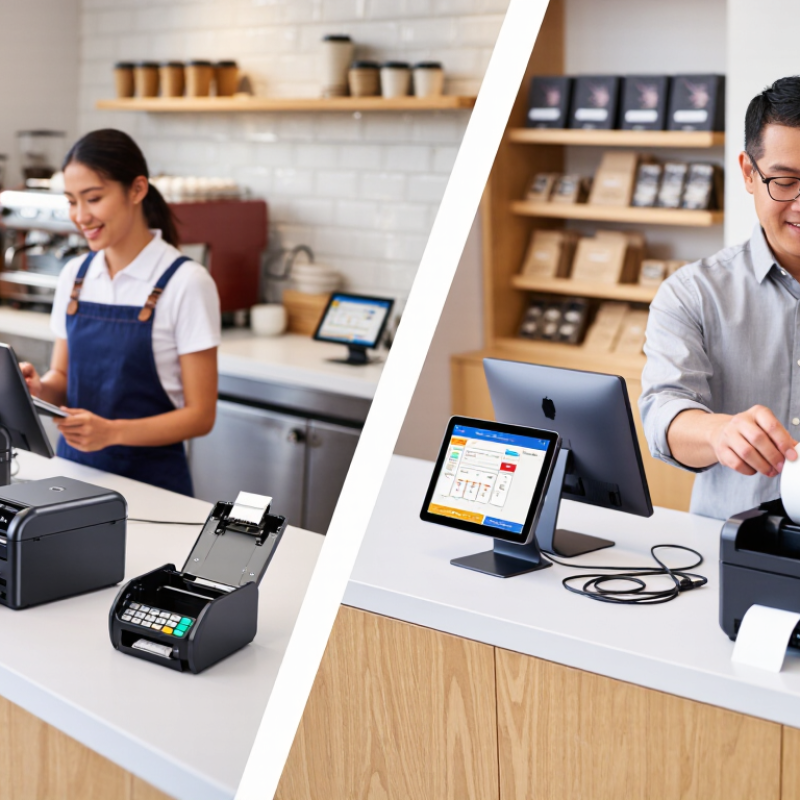
In 2026, choosing a Thermal Receipt printer is less about chasing the fastest model and more about matching hardware to daily work. A busy café may need quick, quiet printing through a long lunch rush. A small retail counter may care more about compact size, clear text, and easy paper loading. The right choice should fit the checkout space, connect reliably to existing devices, and keep receipts readable when the printer is working hard.

This guide compares leading options by print speed, connectivity, media support, durability, and running costs. It also considers details buyers can miss: whether the cutter handles frequent use, how easily staff can replace a paper roll, and whether the printer fits the point-of-sale system already in place. Small details matter. A paper jam during a queue feels bigger than it looks on a specification sheet.

A verified quotation from a named Thermal Receipt industry expert was not provided, so I won’t invent one. Instead, this comparison focuses on checkable product specifications and practical selection criteria. Specifications alone are not enough, though; real performance depends on workload, setup, and maintenance. That distinction is easy to overlook. Use the shortlist as a starting point, then confirm compatibility and test a printer under your own busiest conditions.
Top Thermal Receipt Printers for Businesses in 2026?

Classify Receipt Printers by the Industry-Common 58 mm and 80 mm Formats

For many businesses, receipt printer selection starts with paper width, not a feature list. The two common formats are 58 mm and 80 mm. Each suits a different counter, workflow, and receipt design. The right choice depends on what customers need to read and what staff need to print.

A 58 mm printer fits compact checkout spaces and produces narrower receipts. It can work well for cafés, small kiosks, and mobile service counters with short order details. But long product names or several item lines may wrap, making receipts harder to scan. That trade-off is easy to miss when comparing printers on a desk.

An 80 mm printer provides more room for item descriptions, tax details, and return information. Busy shops may find its wider layout easier to read, especially when receipts include many lines. It also uses wider paper, so check roll storage and replacement routines before choosing it. Small details matter. Test a sample receipt using your actual menu or product list; a neat demo print may not reflect a crowded shift. Even then, the choice is not always obvious. The best format is the one that keeps printing clear without wasting counter space or paper.
Compare 203 dpi Standard and 300 dpi High-Detail Print Resolution

Top Thermal Receipt Printers for Businesses in 2026?

Compare 203 dpi Standard and 300 dpi High-Detail Print Resolution

Choosing a thermal receipt printer in 2026 means matching resolution to real checkout tasks. A 203 dpi model usually handles clear prices, totals, and standard text. For a busy café, that may be plenty. A 300 dpi printer can render smaller characters, dense layouts, and compact codes with finer edges. On a narrow receipt, the difference can be noticeable. Still, higher resolution is not automatically better.

Think about what customers and staff need to read. If receipts include tiny product descriptions or detailed logos, 300 dpi may improve legibility. For simple transaction records, 203 dpi can be a practical, economical choice. Print quality also depends on paper, printhead condition, and settings. A high-resolution device cannot fix faded thermal paper. I would test actual receipts before deciding; specifications alone can mislead.

Tips: Print the same receipt on both resolutions. Check small text, barcode scans, and paper use under normal lighting. Ask staff to read the results quickly. A few details may look sharper at 300 dpi, but the benefit might be hard to notice at the counter.

Rank 2026 Models by Manufacturer-Rated Speed, Duty Cycle, and Interfaces

A useful 2026 ranking should compare published specifications, not headline speed alone. Grand View Research estimated the global point-of-sale terminal market at USD 105.53 billion in 2023, with an 8.0% projected annual growth rate through 2030. That expansion puts more pressure on checkout equipment to keep queues moving. Still, a printer’s rated speed is only a starting point. Compare speeds under similar paper widths and print conditions; a fast figure may not reflect dense logos or long receipts.

Duty-cycle claims need equal care. Manufacturers may report recommended daily volume, maximum output, or print-head life, which are not interchangeable measures. For a busy counter, prioritize a stated daily workload that matches peak periods, then check whether the rating assumes continuous operation. Interface options matter at installation: USB suits a nearby register, while Ethernet can simplify shared counter setups. Wireless links may reduce cable clutter, but signal stability deserves a real-world test. The ranking should reward clear, comparable specifications, not just the largest numbers.

Small caveat: published ratings rarely recreate a crowded Friday checkout.

Match Printer Capacity to POS Workflows, Roll Size, and Daily Receipt Volume

A thermal receipt printer should match the busiest part of a POS workflow, not just the average shift. The Federal Reserve’s 2024 Diary of Consumer Payment Choice found that people made an average of 48 payments monthly in 2023, with cash representing 16 percent. That is useful context, but it is not a forecast for any single store. Count your own daily transactions, then note which ones need printed receipts. Include returns, kitchen tickets, and pickup orders where relevant. Small queues add up.

Roll size matters just as much as print speed. Estimate daily paper use by multiplying receipts per day by the average printed receipt length, then add a buffer for rushes and reprints. Compare that figure with the usable length of each roll; roll dimensions alone do not guarantee equal paper capacity. The U.S. Census Bureau reported that e-commerce made up 16.1 percent of U.S. retail sales in the fourth quarter of 2024, a reminder that many shops now mix counter sales with online pickup. That mix can change printer demand across the day. Test a sample roll during a busy shift before choosing a capacity. A tidy estimate can still miss the lunch rush.

Top Thermal Receipt Printers for Businesses in 2026? — Match Printer Capacity to POS Workflows, Roll Size, and Daily Receipt Volume
Printer Capacity Class Typical Print Width Typical Print Speed Common Roll Size Suggested Daily Receipt Volume Typical POS Workflow Useful Features to Check
Compact, entry-level 58 mm paper; commonly about 48 mm printable width Approximately 60–100 mm/s 58 mm-wide rolls, often up to about 40 mm in diameter Up to about 300 receipts Small counter, mobile checkout, market stall, or occasional transaction use USB connection, compact footprint, easy paper loading, and compatibility with the POS system
Standard counter 80 mm paper; typically around 72 mm printable width Approximately 150–200 mm/s 80 mm-wide rolls, commonly around 80 mm in diameter About 300–1,000 receipts Single checkout lane in a café, shop, or service business with steady traffic USB or Ethernet, automatic cutter, clear status indicators, and support for the required receipt format
Busy counter 80 mm paper; typically around 72 mm printable width Approximately 200–250 mm/s 80 mm-wide rolls, commonly around 80 mm in diameter About 1,000–3,000 receipts High-traffic checkout where short queues and rapid transaction completion matter Automatic cutter, Ethernet or supported wireless networking, reliable driver support, and an accessible paper path
High-throughput counter 80 mm paper; printable width varies by model, often around 72 mm Approximately 250–300 mm/s 80 mm-wide rolls; confirm the maximum roll diameter supported by the unit More than about 3,000 receipts Continuous service across busy lanes, food-service counters, or centralized receipt stations Fast cutter, robust duty-cycle specification, network connectivity, easy maintenance, and a tested POS integration
Kitchen or order-station setup Usually 80 mm paper; some compact stations use 58 mm Approximately 150–250 mm/s Typically 80 mm-wide rolls; check roll capacity and loading access Choose according to order-ticket volume; often 300–3,000+ prints per day Order tickets routed from a POS terminal to a kitchen or preparation station Network or supported wireless connection, audible or visual alerts, suitable placement, and compatibility with kitchen-ticket workflows
Selection note: Daily receipt figures are practical planning bands, not manufacturer-rated limits. Actual capacity depends on receipt length, transaction timing, cutter use, operating conditions, and maintenance. Print speeds are typical ranges; compare the exact specifications and supported interfaces of the model being considered. Thermal receipt printers use compatible thermal paper and do not require ink or toner.

Compare Ownership Costs Using Paper Use, Power Draw, Warranty, and Service Data

Top Thermal Receipt Printers for Businesses in 2026?

A printer’s purchase price tells only part of the story. Estimate paper use from daily transaction counts, average receipt length, and roll capacity. A busy counter printing 250 long receipts per day may replace rolls far sooner than a quiet service desk. Paper waste matters too: test whether the printer feeds extra blank space after each sale. Small gaps add up.

Power draw is usually modest, but compare idle and active consumption using the same measurement method. Multiply those readings by expected operating hours and local electricity rates. Then check warranty length, covered parts, and service turnaround—not just the headline warranty period. A printer that sits unused while awaiting repair can disrupt checkout. Service records may be incomplete, so treat them as useful evidence, not a guarantee.

Tips: Track one week of receipt length and roll changes. Keep the receipt. Ask suppliers for written warranty exclusions and typical repair times. These estimates will not fit every shop; paper settings and customer traffic can shift the totals more than expected.

Thermal Receipt Printer Ownership Costs: 2026 Planning Model

Estimated annual paper, electricity, and service-reserve costs under three warranty scenarios.

Paper is the largest modeled cost. Electricity estimates use assumed active and idle power figures; warranty terms and service reserves are scenario inputs, not verified specifications or quotes for specific printers. Replace these inputs with supplier specifications and local service pricing before purchasing.

Model assumptions and annual estimates

Workload: 250 receipts per business day, 300 days per year, and 0.25 m of paper per receipt. Paper: 80 m rolls at $2.00 each, or about $469 per year. Electricity: $0.15/kWh, one active hour and 15 idle hours per business day; modeled active/idle draw is 45/2.5 W, 60/3 W, and 75/4 W. Annual service reserves are illustrative inputs of $60, $35, and $20.

Scenario Warranty input Paper/year Power/year Service reserve/year Total/year
Scenario A 12 months $469 $3.71 $60 $532.71
Scenario B 24 months $469 $4.73 $35 $508.73
Scenario C 36 months $469 $6.08 $20 $495.08